
Before I get into the technical bits, congratulations to Arsenal. Their first Premier League trophy in 22 years, lifted yesterday. As a Seattle Sounders supporter, I am sympathetic to the long wait. But I have to be honest, we are a little spoiled at this point. The Sounders have been collecting trophies for years now, including a CONCACAF Champions League and several MLS Cups and US Open Cups, and we are conditioned to expect the next one. So this trophy is more for the gunners than for me.

I run both Kiro CLI and Claude Code on the same projects, and I shipped a working bridge between them for this blog. The bridge means a single library of skills and agents now runs in both tools without rewriting anything. Building it forced me to learn where the two are interchangeable, where they look interchangeable but are not, and where each one genuinely leads.
This post is the decision matrix I would have wanted six weeks ago. It is for builders who have not picked yet, and for builders who already use one and are wondering if the other is worth a serious look.
I will not be covering the Kiro IDE. That is a different product with a different set of tradeoffs. The CLI is the surface most builders end up living in day to day, and it is the right comparison for Claude Code.
What is shared, and why that matters#
Both tools implement the Agent Skills open standard. A skill is a directory containing a SKILL.md file with YAML frontmatter and a Markdown body. The frontmatter describes when the skill applies, the body explains how to do the thing.
This means a skill written for one tool runs in the other with no transformation. That sounds small but it is the single biggest reason both tools can coexist on the same project. In my repo, every skill in .kiro/skills/ is symlinked into .claude/skills/ and both tools pick it up natively.
# .kiro/skills/create-post/SKILL.md
---
name: create-post
description: Write a new blog post matching the author's voice
---
# Create Post

When the user wants to write a new blog post...
Same file, two clients. That part of the comparison is genuinely a tie.
The shared layer falls apart at the agent level. Kiro CLI defines agents as JSON files with structured fields like tools, resources, mcpServers, and hooks. Claude Code defines agents as Markdown files where the body is the system prompt and the frontmatter holds the configuration. The agent is the unit of work, so this is where most of the divergence shows up.
Where Kiro CLI legitimately leads#
There are three places I reach for Kiro CLI without hesitation.
The first is identity. If you work at an AWS shop, Kiro CLI authenticates against AWS Builder ID or IAM Identity Center. There is no separate Anthropic account to manage, no second invoice to reconcile, no credential dance between two providers. The model calls flow through AWS, the billing flows through AWS, and the access controls you already have in IAM Identity Center govern who can use it. For me, working as a Solutions Architect at AWS, this is the meaningful distinction. It is not just convenience. It is the same identity model my customers are already standardized on.
Claude Code can also route through Amazon Bedrock now, and a Claude Code subscription is available in AWS Marketplace, so the gap here has narrowed. If your organization wants Claude Code spend on the AWS bill and IAM-governed access to the models, that is achievable. The remaining edge for Kiro CLI is that the identity story is the default rather than a configuration choice. You log in with AWS Builder ID or IAM Identity Center and there is no second account to set up. For shops that want zero friction here, that still matters.
The second is semantic tooling. Kiro CLI ships with two tools that have no Claude Code equivalent. The first is code, which performs structured edits on source files rather than the line-based replacements that Edit does in Claude Code. The second is WorkspaceSearch, which is a semantic index of your codebase. It is closer to what you get from Sourcegraph than from ripgrep. For very large repositories, these matter. When I am refactoring across hundreds of files, Kiro CLI finds patterns that Claude Code’s Grep and Glob would miss because it understands what the code means, not just what it says.
The third is focused surface area. Kiro CLI has fewer features than Claude Code. That is a tradeoff, not a flaw. Less to learn, fewer footguns, less churn between releases. If you want a tool that does the core agentic loop well and stays out of your way, Kiro CLI is the more conservative choice.
Where Claude Code legitimately leads#
The single most material thing Claude Code does better is its memory and steering layer.
Kiro CLI loads .kiro/steering/*.md files only when an agent’s resources field explicitly references them. Claude Code loads CLAUDE.md automatically at every session start. It walks up the directory tree to find them. It also has path-scoped rules that load only when you are working with matching files, and an auto-memory system where Claude writes its own notes about your project across sessions.
In practice this means that with Claude Code, my project context just shows up. With Kiro CLI, I have to remember to declare it on every custom agent. Both approaches work. The Claude Code approach has lower activation energy, and over a working week that adds up.
Live-reload is the other half of this. Edit a skill in Claude Code, save it, and the next time the model decides to invoke that skill it picks up the changes. Edit an agent or skill in Kiro CLI and you generally need to restart your session. For someone iterating on prompts, that round-trip cost is the difference between a tight feedback loop and a frustrating one.
Claude Code also has the deeper feature surface in three categories that matter once you scale your usage:
- Hooks. Kiro CLI has five lifecycle events. Claude Code has around twenty-five, including
SubagentStart,PreCompact,PermissionDenied, andFileChanged. If you want to programmatically gate or instrument your agentic workflow, the difference is not subtle. - Plugins. Claude Code has a plugin marketplace for distributing skills, agents, hooks, and MCP servers as a single bundle. Kiro CLI does not. The only documented extension surface for Kiro CLI is MCP itself.
- Permission model. Claude Code has gitignore-style allowlists and denylists, OS-level sandboxes on macOS and Linux, network domain filters, and managed enterprise policies. Kiro CLI has
--trust-tools=read,grep,write. If you are running unattended workflows or building anything that touches sensitive files, this is not a close comparison.
The shared format hides different semantics#
This is the section I would tell a past version of myself to read carefully. The frontmatter on a Claude Code agent and the JSON on a Kiro CLI agent both have a tools field. They mean opposite things.
In Claude Code, omitting tools means the agent inherits all tools available to its parent. It is additive by default. You add disallowedTools to remove things from that inheritance.
In Kiro CLI, omitting tools means the agent has no tools available. It is subtractive by default. You have to populate the field to give the agent capability.
I did not realize this until I started writing the converter for the bridge. The same word, configured the same way, produces opposite agents in the two tools. Anything you migrate from one to the other has to handle this explicitly, or your agent will silently work in one tool and silently fail to work in the other.
The other surprise was that Claude Code’s @path/to/file import syntax does not work inside subagent system prompts. It works in CLAUDE.md files. It does not work in the body of .claude/agents/<name>.md. Subagent bodies are loaded verbatim. I spent a non-trivial amount of time designing the bridge around @-imports for steering content before catching this in the docs and rewriting the design to inline the steering content at conversion time. The lesson: read the docs carefully when a feature appears to be universal. AI tooling is moving fast enough that “this works everywhere” is rarely true.
Translation losses, in practice#
The bridge converter is the concrete inventory of what does not survive a move between the two tools. The tool name mapping is mostly clean:
fs_read       → Read
fs_write      → Write, Edit
grep          → Grep
glob          → Glob
execute_bash  → Bash
web_search    → WebSearch
use_subagent  → Agent
code          → (drop, fall back to Edit)
WorkspaceSearch → (drop, fall back to Grep + Glob)
Seven of nine are direct. The two that drop are exactly the Kiro CLI superpowers I called out earlier. The fallback to Edit and Grep works, but with reduced fidelity. A reviewer agent that relied on code for structured edits will function in Claude Code but will be a less precise reviewer.
The agent JSON has six fields that have no Claude Code equivalent and get dropped during conversion: welcomeMessage, mcpServers, toolAliases, toolsSettings, includeMcpJson, and hooks. None of them are critical, but they are real Kiro CLI features. If your agent uses any of them, the Claude Code version will be subtly different.
Going the other direction is harder. Claude Code agents have a memory field that gives the subagent persistent storage across conversations. Kiro CLI has no built-in equivalent, but there is a workaround. I wrote about it in detail: you can build a layered memory system in Kiro CLI by combining steering files with semantic core memories and topical memories that load on demand. It takes more deliberate setup than Claude Code’s memory field, but you get a richer model for what to remember and when. If you are migrating an agent that depends on persistent learning, plan to invest in this pattern up front rather than expecting parity out of the box.
My bookshelf, and why I am thinking about this#
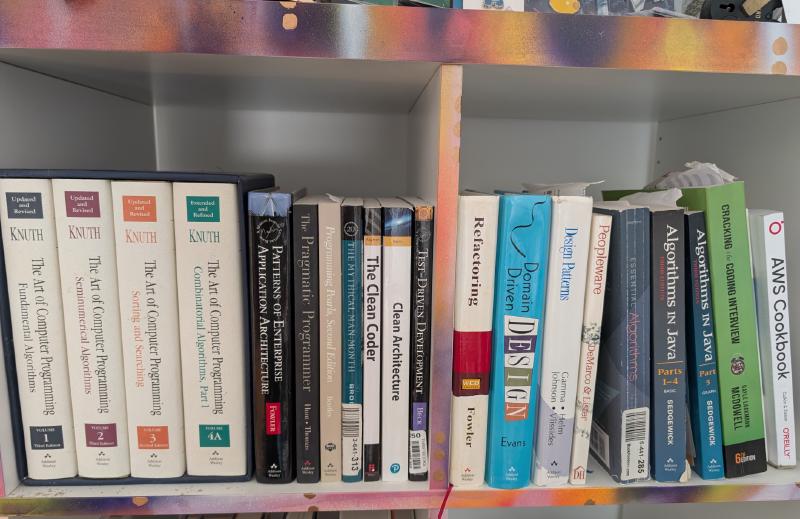
I keep a small shelf of books that have shaped how I think about software. Some are about algorithms and the mechanics of writing code. Some are about leading engineering teams. Some are about how to design systems that other people can build on. The reason I am thinking about this in the context of Kiro CLI versus Claude Code is that the choice between these tools is not really about the tools.
The choice is about the kind of work you do.
If you spend most of your day in code, manipulating large codebases, refactoring, hunting for patterns across hundreds of files, the books on my shelf about algorithms and software design tell you something specific. You want a tool that understands code semantically, not just textually. Kiro CLI’s WorkspaceSearch and code tools are built for that work.
If you spend most of your day orchestrating people and process, designing how your team ships software, building reusable workflows that capture institutional knowledge, the books on my shelf about leadership and engineering management point in a different direction. You want a tool with deep programmability. You want hooks that fire at every meaningful lifecycle event. You want to distribute your team’s workflows as plugins. You want a memory system that captures and shares context across your team. That is Claude Code.
If you do both, which most senior engineers do, you end up wanting both tools. That is how I got here.
What to do if you can only pick one#
Pick by the work, not the brand.
If your dominant problem is code quality on a large codebase, especially refactoring, semantic search, or structured edits, default to Kiro CLI. The two tools that have no Claude Code equivalent are exactly the tools that make this work go faster. The fact that you are also getting AWS-native auth is a meaningful bonus.
If your dominant problem is workflow automation, team leverage, or orchestrating multi-step agentic processes, default to Claude Code today. The hooks system, the plugin marketplace, and the memory layering are the things that compound over time, and Claude Code has the deeper surface for that work right now.
That last phrase is doing some work. It is May 20th, 2026 as I write this, and the Kiro team is moving fast. They just launched Deep Spec Analysis in the Kiro IDE, which uses neuro-symbolic AI to catch ambiguity, contradictions, and completeness gaps in requirements before any code is written. That is a meaningfully sophisticated capability built on Amazon’s research into automated reasoning, and it is the kind of feature I expect to land in the CLI before long. The point is that the parity gaps I am describing are a snapshot, not a verdict. What is true today may not be true in a quarter.
For most people the call is closer than I am making it sound. Both tools are quite good. The differences I am describing are real but they are also incremental. If you spend ten minutes a day with one of these tools, it does not particularly matter which one. If you spend three hours a day, the differences will start to grate.
What to do if you run both#
Bridge them.
The whole point of the Agent Skills open standard is that you should not have to write the same skill twice. The trick is figuring out which parts of your config can be shared and which parts have to be translated.
Skills are easy. Both tools read the same SKILL.md format, so a symlink is enough:
mkdir -p .claude/skills
ln -s ../../.kiro/skills/create-post .claude/skills/create-post
Git stores the link as mode 120000 and both runtimes follow it transparently. One source file, two clients.
Agents are the part that needs a converter, because the formats diverge. Pick one tool’s format as canonical and generate the other. I treat Kiro CLI’s JSON as the source of truth and generate the Claude Code Markdown from it. The translation work is mostly mechanical: read the JSON, map the tool names with a small lookup table, inline any resources content into the prompt body, and emit a Markdown file with the right frontmatter.
The shape of the input and output looks like this:
// .kiro/agents/code-reviewer.json (canonical)
{
  "name": "code-reviewer",
  "description": "Code review orchestrator",
  "prompt": "You are a code review orchestrator...",
  "tools": ["fs_read", "fs_write", "use_subagent"],
  "resources": ["file://.kiro/steering/tech.md"]
}
<!-- .claude/agents/code-reviewer.md (generated) -->
---
description: Code review orchestrator
name: code-reviewer
tools: Agent, Edit, Read, Write
---
<!-- GENERATED — DO NOT EDIT. Run `npm run sync-claude` to regenerate. -->
<!-- BEGIN steering: .kiro/steering/tech.md -->
(steering file contents inlined here)
<!-- END steering: .kiro/steering/tech.md -->
You are a code review orchestrator...A few patterns make this work in practice. Run the converter through a CI step with a --check flag so any drift between Kiro source and Claude Code output fails the build. Commit the generated files. Reviewers want to see what changed in the rendered prompt, not just in the source JSON. And add a generated-by header to each output file so a future contributor cannot accidentally hand-edit something that will be overwritten on the next run.
The cost is a few hundred lines of code and a small amount of CI time. The benefit is that I write each prompt once and use it from whichever tool I happen to have open.
Where this goes from here#
Both tools are still moving fast. The features I called out as Claude Code wins or Kiro CLI wins today are the snapshot for May 2026. By the time you read this, some of those gaps may have closed. Kiro CLI may catch up to Claude Code in places where Claude leads today. Claude Code may catch up to Kiro CLI in places where Kiro leads today. Either tool may absorb most of the other’s distinctive capabilities.
What I do not think will change is the shape of the choice. There will always be a tool that is closer to your existing identity stack. There will always be a tool with the deeper feature surface. There will always be a moment when you discover that the same field name means different things in different runtimes, and you spend an afternoon understanding why your agent is not behaving the way you thought.
Pick the tool that fits the work you do most. Bridge them if you do enough work to need both. And read the docs carefully, because the things that look interchangeable usually are not.
If you found this useful, borrow whatever you find helpful.
Keith